Building DiskScout — a Fast Disk Usage Analyzer
Why I built a simple CLI tool to scan disk usage, detect space wasters, and suggest cleanups.
I wanted a simple, fast tool to answer one question: where did all my disk space go?
There are plenty of disk analyzers out there, but I wanted full control over how the scan works — what gets flagged as a space waster, how deep it goes, and what cleanup suggestions it gives. So I built DiskScout.
What it does
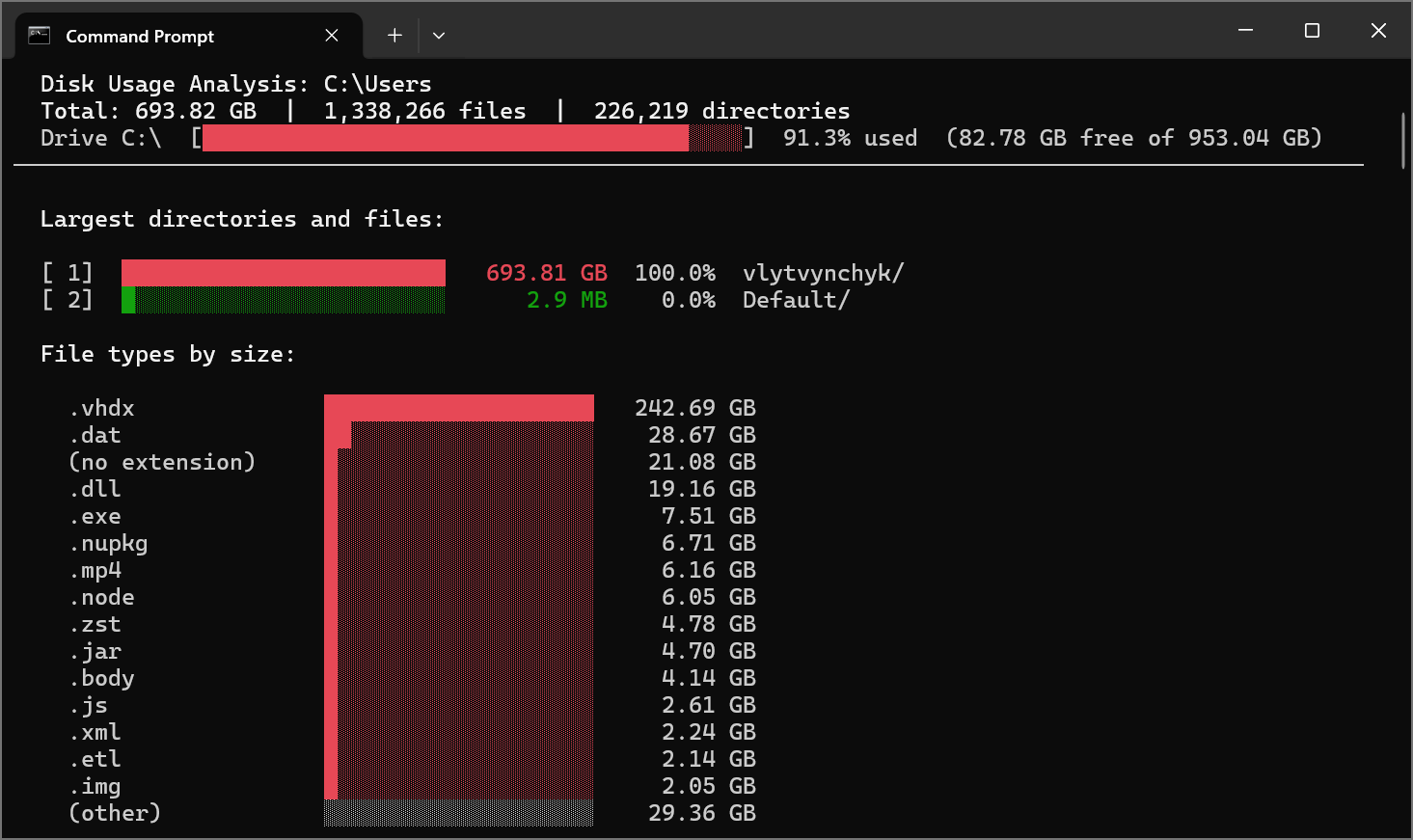 DiskScout scanning a drive — color-coded bar charts with interactive navigation
DiskScout scans your drive in parallel and gives you:
- Color-coded bar charts showing what’s eating your space
- Interactive navigation — drill down into directories to explore
- Space waster detection — it flags things like
node_modules,bin/obj,.git, browser caches, Docker data, Python venvs, and more - Cleanup suggestions with estimated savings
- Export to JSON or CSV
1
2
3
4
5
6
7
8
# install it
dotnet tool install -g DiskScout

# scan current drive
diskscout

# scan a specific path
diskscout --path C:\Users
Why build it
Mostly — it was fun. I like building tools that I actually use daily. And C# with .NET felt like a natural fit for a CLI tool that needs to be fast and work well on Windows.
The parallel scanning makes it quick even on large drives. You can control the depth, set minimum size thresholds, exclude directories, and run it non-interactively for scripting.
Custom rules
One thing I wanted was the ability to define what counts as a “space waster.” DiskScout comes with built-in detection for common offenders — node_modules, NuGet cache, Rust target/ folders, __pycache__, temp files, and others. Each detected category comes with a tailored cleanup command.
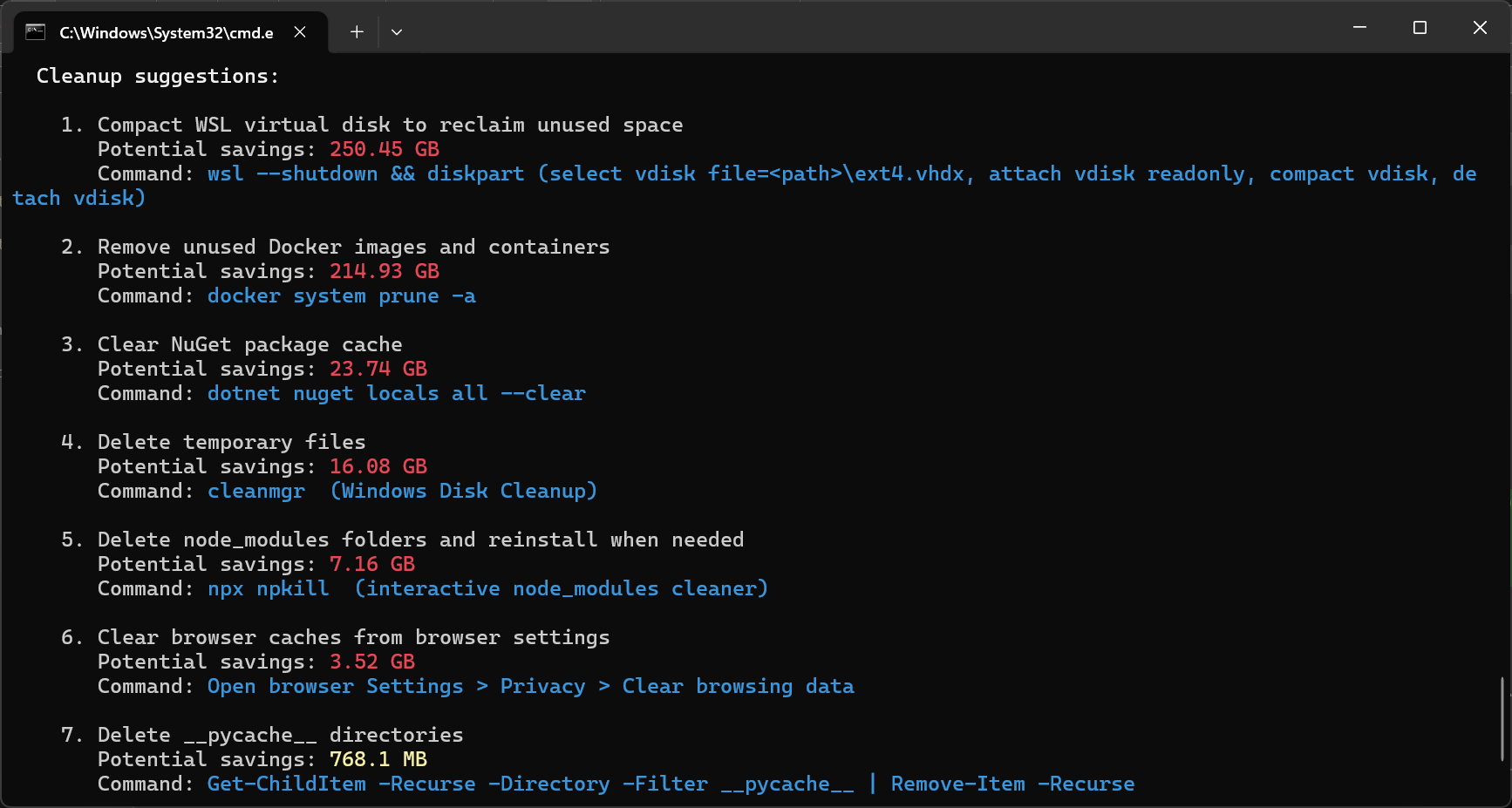 Space waster detection with cleanup suggestions
Try it out
DiskScout is a standalone tool — no .NET runtime required. Grab the latest binary from the releases page and run it directly.
Or install it as a .NET tool:
1
2
dotnet tool install -g DiskScout
diskscout
The source is on GitHub. Feedback and contributions are welcome.